NestJS Patterns for Scalable APIs
Your NestJS app works great with 5 endpoints. The code is clean, the structure makes sense, and everything fits in your head. But at 50 endpoints? 500? That’s when architecture decisions made early either save you or haunt you.
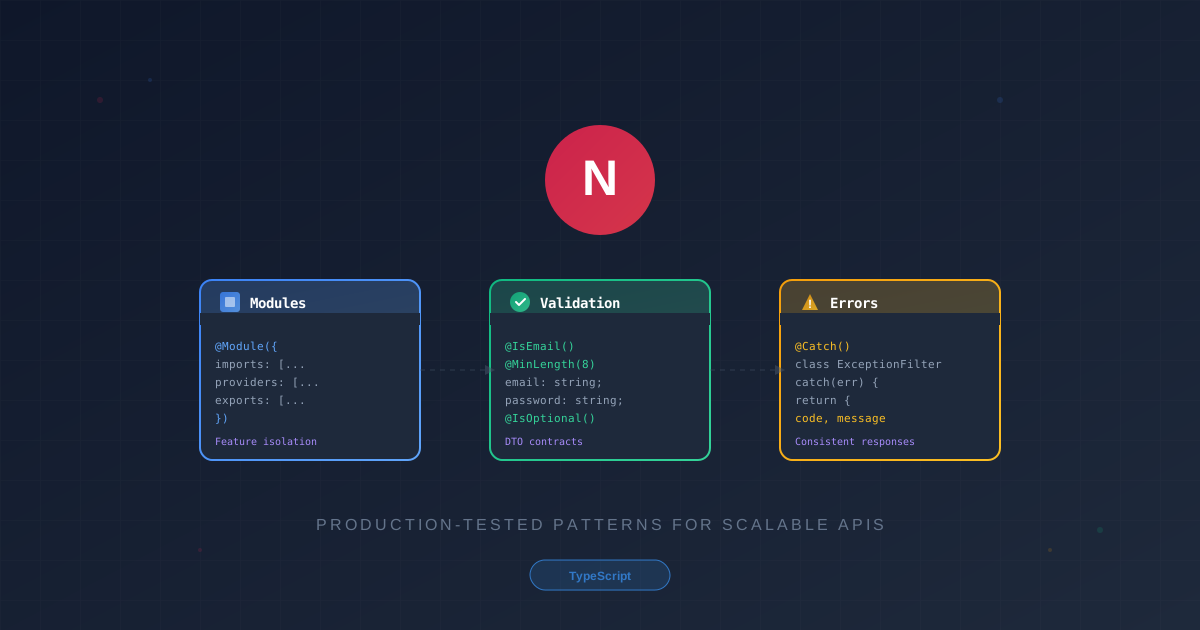
NestJS provides the building blocks -modules, pipes, filters, guards -but doesn’t prescribe how to assemble them. This guide covers three foundational patterns that determine whether your API scales gracefully or collapses under its own weight: module design, validation strategies, and centralized error handling.
What You’ll Learn
| Pattern | Problem It Solves |
|---|---|
| Feature Modules | Code organization that scales with team size |
| DTO Validation | Input sanitization that catches errors early |
| Exception Filters | Consistent error responses across the API |
These aren’t theoretical patterns -they’re extracted from production APIs handling real traffic.
Module Design for Scalability
The module system is NestJS’s killer feature. Used well, it creates natural boundaries that make large codebases navigable. Used poorly, it creates a tangled mess of circular dependencies.
The Feature Module Pattern
One module per domain. One domain per module. This sounds obvious, but the temptation to create “utility” modules that reach into everything is strong -and destructive.
graph TB
    subgraph App["Application"]
        AppModule[AppModule]
    end

    subgraph Core["Core Layer"]
        CoreModule[CoreModule]
        ConfigService[ConfigService]
        LoggerService[LoggerService]
    end

    subgraph Features["Feature Modules"]
        UsersModule[UsersModule]
        OrdersModule[OrdersModule]
        PaymentsModule[PaymentsModule]
    end

    AppModule --> CoreModule
    AppModule --> UsersModule
    AppModule --> OrdersModule
    AppModule --> PaymentsModule

    UsersModule --> CoreModule
    OrdersModule --> CoreModule
    PaymentsModule --> CoreModule

    CoreModule --> ConfigService
    CoreModule --> LoggerService

    style AppModule fill:#8b5cf6,color:#fff
    style CoreModule fill:#3b82f6,color:#fff
    style UsersModule fill:#10b981,color:#fff
    style OrdersModule fill:#10b981,color:#fff
    style PaymentsModule fill:#10b981,color:#fff
Each feature module encapsulates everything related to its domain:
src/
├── modules/
│   ├── users/
│   │   ├── users.module.ts
│   │   ├── users.controller.ts
│   │   ├── users.service.ts
│   │   ├── dto/
│   │   │   ├── create-user.dto.ts
│   │   │   └── update-user.dto.ts
│   │   ├── entities/
│   │   │   └── user.entity.ts
│   │   └── interfaces/
│   └── orders/
│       └── ...
├── common/
│   ├── filters/
│   ├── guards/
│   ├── interceptors/
│   └── pipes/
└── config/
The rule: if you’re importing something from another feature module, pause. Either extract the shared logic into common/, or you’ve found a domain boundary that needs rethinking.
Core and Shared Modules
Two special modules handle cross-cutting concerns:
CoreModule - App-wide singletons loaded once at startup:
@Global()
@Module({
  imports: [ConfigModule.forRoot({ isGlobal: true })],
  providers: [LoggerService, PrismaService],
  exports: [LoggerService, PrismaService],
})
export class CoreModule {}
SharedModule - Reusable utilities that feature modules import explicitly:
@Module({
  providers: [DateHelperService, SlugGeneratorService],
  exports: [DateHelperService, SlugGeneratorService],
})
export class SharedModule {}
Use @Global() sparingly. When everything is global, nothing has clear ownership.
Dynamic Modules for Configuration
When a module needs runtime configuration, use the forRoot() / forRootAsync() pattern:
@Module({})
export class DatabaseModule {
  static forRootAsync(options: DatabaseModuleAsyncOptions): DynamicModule {
    return {
      module: DatabaseModule,
      imports: options.imports || [],
      providers: [
        {
          provide: DATABASE_OPTIONS,
          useFactory: options.useFactory,
          inject: options.inject || [],
        },
        DatabaseService,
      ],
      exports: [DatabaseService],
    };
  }
}
Usage in AppModule:
@Module({
  imports: [
    DatabaseModule.forRootAsync({
      imports: [ConfigModule],
      useFactory: (config: ConfigService) => ({
        host: config.get('DB_HOST'),
        port: config.get('DB_PORT'),
      }),
      inject: [ConfigService],
    }),
  ],
})
export class AppModule {}
Avoiding Circular Dependencies
Circular dependencies are a code smell indicating unclear domain boundaries. When Module A imports Module B which imports Module A, you have two options:
| Approach | When to Use |
|---|---|
forwardRef() | Quick fix for deadline pressure (tech debt) |
| Extract shared logic | Proper solution -create a third module both depend on |
| Event-based communication | When modules should react to changes without tight coupling |
The event-based approach is particularly powerful:
// orders.service.ts
@Injectable()
export class OrdersService {
  constructor(private eventEmitter: EventEmitter2) {}

  async createOrder(dto: CreateOrderDto) {
    const order = await this.orderRepository.save(dto);

    // Other modules can listen without creating dependency
    this.eventEmitter.emit('order.created', order);

    return order;
  }
}
Validation Patterns
Validation is your first line of defense. Bad data that makes it past the controller pollutes your entire system.
DTO-Based Validation
DTOs (Data Transfer Objects) define the contract between client and server. Combined with class-validator, they become self-documenting validation rules:
import { IsEmail, IsNotEmpty, IsOptional, IsString, Matches, MaxLength, MinLength } from 'class-validator';

export class CreateUserDto {
  @IsEmail()
  @IsNotEmpty()
  email: string;

  @IsString()
  @MinLength(8)
  @Matches(/^(?=.*[A-Z])(?=.*[0-9])/, {
    message: 'Password must contain uppercase letter and number',
  })
  password: string;

  @IsOptional()
  @IsString()
  @MaxLength(100)
  displayName?: string;
}
Enable validation globally in main.ts:
app.useGlobalPipes(
  new ValidationPipe({
    whitelist: true,            // Strip unknown properties
    forbidNonWhitelisted: true, // Throw on unknown properties
    transform: true,            // Auto-transform to DTO instances
    transformOptions: {
      enableImplicitConversion: true,
    },
  }),
);| Option | Purpose |
|---|---|
whitelist | Silently removes properties not in DTO |
forbidNonWhitelisted | Rejects requests with unknown properties |
transform | Converts plain objects to class instances |
enableImplicitConversion | Converts string “123” to number 123 based on type |
Custom Validators
For business logic validation -like checking if an email already exists -create custom decorators:
import { ValidatorConstraint, ValidatorConstraintInterface, ValidationArguments, registerDecorator } from 'class-validator';
import { Injectable } from '@nestjs/common';

@ValidatorConstraint({ async: true })
@Injectable()
export class IsUniqueConstraint implements ValidatorConstraintInterface {
  constructor(private readonly userService: UserService) {}

  async validate(value: any, args: ValidationArguments) {
    const [field] = args.constraints;
    const exists = await this.userService.existsByField(field, value);
    return !exists;
  }

  defaultMessage(args: ValidationArguments) {
    return `${args.property} already exists`;
  }
}

// Decorator factory
export function IsUnique(field: string) {
  return function (object: Object, propertyName: string) {
    registerDecorator({
      target: object.constructor,
      propertyName,
      constraints: [field],
      validator: IsUniqueConstraint,
    });
  };
}
Usage:
export class CreateUserDto {
  @IsEmail()
  @IsUnique('email')  // Checks database during validation
  email: string;
}
Partial Validation for Updates
NestJS provides utility types to avoid duplicating DTOs:
import { PartialType, OmitType, PickType } from '@nestjs/mapped-types';

// All fields optional except email (which shouldn't change)
export class UpdateUserDto extends PartialType(
  OmitType(CreateUserDto, ['email'] as const),
) {}

// Only specific fields
export class UpdatePasswordDto extends PickType(CreateUserDto, ['password'] as const) {}
Error Handling Patterns
Inconsistent error responses are a common API smell. One endpoint returns { error: "Not found" }, another returns { message: "Resource missing", code: 404 }. Clients hate this.
Global Exception Filter
Create a single filter that standardizes all error responses:
import { ExceptionFilter, Catch, ArgumentsHost, HttpException, HttpStatus } from '@nestjs/common';
import { Request, Response } from 'express';

@Catch()
export class GlobalExceptionFilter implements ExceptionFilter {
  constructor(private readonly logger: LoggerService) {}

  catch(exception: unknown, host: ArgumentsHost) {
    const ctx = host.switchToHttp();
    const response = ctx.getResponse<Response>();
    const request = ctx.getRequest<Request>();

    let status = HttpStatus.INTERNAL_SERVER_ERROR;
    let message = 'Internal server error';
    let code = 'INTERNAL_ERROR';

    if (exception instanceof HttpException) {
      status = exception.getStatus();
      const exceptionResponse = exception.getResponse();
      message = typeof exceptionResponse === 'string'
        ? exceptionResponse
        : (exceptionResponse as any).message;
      code = this.getErrorCode(status);
    }

    // Log for debugging
    this.logger.error(`${request.method} ${request.url}`, {
      status,
      message,
      stack: exception instanceof Error ? exception.stack : undefined,
    });

    // Consistent response format
    response.status(status).json({
      success: false,
      error: {
        code,
        message,
        timestamp: new Date().toISOString(),
        path: request.url,
      },
    });
  }

  private getErrorCode(status: number): string {
    const codeMap: Record<number, string> = {
      400: 'BAD_REQUEST',
      401: 'UNAUTHORIZED',
      403: 'FORBIDDEN',
      404: 'NOT_FOUND',
      409: 'CONFLICT',
      422: 'UNPROCESSABLE_ENTITY',
      429: 'TOO_MANY_REQUESTS',
      500: 'INTERNAL_ERROR',
    };
    return codeMap[status] || 'UNKNOWN_ERROR';
  }
}
Register it globally:
// main.ts
app.useGlobalFilters(new GlobalExceptionFilter(app.get(LoggerService)));
Custom Business Exceptions
HTTP exceptions are too generic for domain logic. Create business-specific exceptions:
export class BusinessException extends HttpException {
  constructor(
    public readonly errorCode: string,
    message: string,
    status: HttpStatus = HttpStatus.BAD_REQUEST,
  ) {
    super({ errorCode, message }, status);
  }
}

// Domain-specific exceptions
export class InsufficientBalanceException extends BusinessException {
  constructor(required: number, available: number) {
    super(
      'INSUFFICIENT_BALANCE',
      `Required ${required}, but only ${available} available`,
      HttpStatus.UNPROCESSABLE_ENTITY,
    );
  }
}

export class OrderAlreadyShippedException extends BusinessException {
  constructor(orderId: string) {
    super(
      'ORDER_ALREADY_SHIPPED',
      `Order ${orderId} has already been shipped and cannot be modified`,
      HttpStatus.CONFLICT,
    );
  }
}
Usage in services:
async cancelOrder(orderId: string) {
  const order = await this.findOne(orderId);

  if (order.status === 'shipped') {
    throw new OrderAlreadyShippedException(orderId);
  }

  // proceed with cancellation
}
Formatted Validation Errors
Customize how validation errors appear to clients:
new ValidationPipe({
  exceptionFactory: (errors) => {
    const formattedErrors = errors.map((err) => ({
      field: err.property,
      errors: Object.values(err.constraints || {}),
    }));

    return new BadRequestException({
      code: 'VALIDATION_ERROR',
      message: 'Validation failed',
      details: formattedErrors,
    });
  },
});
This produces clean, parseable error responses:
{
  "success": false,
  "error": {
    "code": "VALIDATION_ERROR",
    "message": "Validation failed",
    "details": [
      {
        "field": "email",
        "errors": ["email must be an email"]
      },
      {
        "field": "password",
        "errors": [
          "password must be longer than or equal to 8 characters",
          "Password must contain uppercase letter and number"
        ]
      }
    ]
  }
}
Putting It All Together
graph LR
    Request[Request] --> Pipe[ValidationPipe]
    Pipe --> |Valid| Controller[Controller]
    Pipe --> |Invalid| Filter[ExceptionFilter]
    Controller --> Service[Service]
    Service --> |Success| Response[Response]
    Service --> |Error| Filter
    Filter --> ErrorResponse[Error Response]

    style Request fill:#10b981,color:#fff
    style Pipe fill:#f59e0b,color:#fff
    style Controller fill:#3b82f6,color:#fff
    style Service fill:#8b5cf6,color:#fff
    style Filter fill:#ef4444,color:#fff
    style Response fill:#10b981,color:#fff
    style ErrorResponse fill:#ef4444,color:#fff
The patterns work together:
- Modules organize code into maintainable domains
- Validation catches bad data before it reaches your logic
- Exception filters ensure consistent error responses when things fail
This isn’t about adding complexity -it’s about managing it. A 500-endpoint API without these patterns becomes unmaintainable. With them, each piece has a clear home, errors are predictable, and new team members can navigate the codebase without a guided tour.
Beyond the Basics
Once these foundations are solid, explore:
| Pattern | Use Case |
|---|---|
| Guards | Authentication and authorization |
| Interceptors | Response transformation, logging, caching |
| Middleware | Request preprocessing (CORS, compression) |
| Custom decorators | Extracting common parameter logic |
Start with modules, validation, and errors. Build on that foundation as complexity demands -not before.
Patterns aren’t about adding complexity -they’re about managing it. Start with these foundations, and your NestJS API will scale with your product instead of against it.