Your Kids Should Learn Markdown
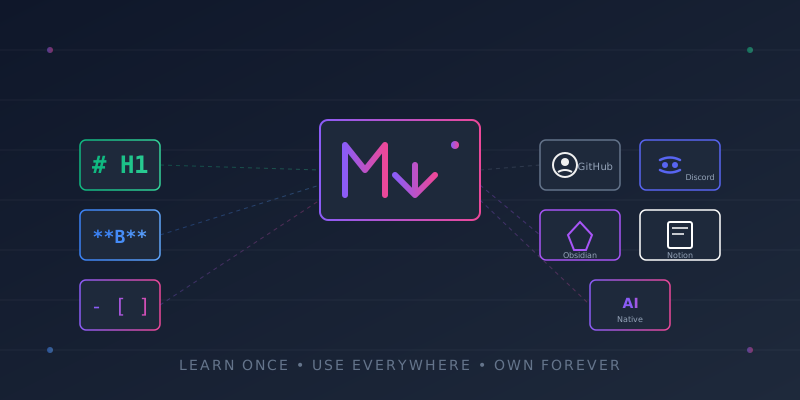
Your kids can probably navigate TikTok blindfolded. They can build entire worlds in Minecraft and speedrun games you’ve never heard of. But can they format a document without clicking 47 toolbar buttons?
Markdown is a life skill disguised as a text format. It takes 15 minutes to learn, works everywhere that matters, and will outlive every app they’re currently using.
What Is Markdown?
Markdown is a way to format text using simple symbols. Instead of clicking buttons, you type characters that become formatting.
| What You Type | What You Get |
|---|---|
**bold** | bold |
*italic* | italic |
# Heading | Large heading |
- item | Bullet point |
[link](url) | Clickable link |
`code` | Inline code |
That’s 80% of what anyone needs. A child can learn this in one sitting.
The 5-Minute Markdown Tutorial
Text Formatting
**This is bold**
*This is italic*
***This is bold and italic***
~~This is strikethrough~~
Headings
# Main Title
## Section
### Subsection
Lists
- Bullet one
- Bullet two
  - Nested bullet

1. Numbered item
2. Another item
Links and Images
[Click here](https://example.com)
Code
Inline `code` looks like this.

```python
# Code blocks preserve formatting
print("Hello, World!")
```
Quotes and Dividers
> This is a blockquote.
> Great for highlighting text.

---
This creates a horizontal line above.
Tables
| Column 1 | Column 2 |
|----------|----------|
| Data     | More data |
That’s it. Everything else is a variation of these patterns.
Why Markdown Matters
1. Plain Text Is Forever
Every proprietary format eventually dies. WordPerfect files from the 90s? Good luck opening those. Google Docs if Google shuts down? Hope you exported.
Markdown is plain text. A .md file is just characters in a file. It can be opened by:
- Any text editor on any operating system
- Notepad from 1995
- VS Code in 2026
- Whatever we’re using in 2050
| Format | Depends On |
|---|---|
| Google Docs | Google existing |
| Notion | Notion existing |
| Word | Microsoft licensing |
| Markdown | Text editors existing |
Your notes, your writing, your knowledge -stored in a format that will never become obsolete.
2. It’s Everywhere Now
Markdown isn’t niche. It’s the default formatting language across platforms your kids already use or will use:
| Platform | Markdown Support |
|---|---|
| GitHub | Full support (issues, PRs, READMEs) |
| Native formatting | |
| Discord | Chat formatting |
| Slack | Message formatting |
| Notion | Native support |
| Obsidian | Core format |
| Stack Overflow | Questions and answers |
| Jupyter Notebooks | Documentation cells |
| Most CMSs | Content authoring |
Learning Markdown once means knowing how to format text everywhere.
3. It’s a Professional Asset
In technical fields, Markdown literacy is assumed. Job postings don’t list it because it’s table stakes -like knowing how to send an email.
Where professionals use Markdown daily:
- Software documentation
- Technical writing
- Project READMEs
- Internal wikis
- API documentation
- Research notes
- Blog posts (like this one)
A kid who learns Markdown at 12 has a skill they’ll use for the rest of their career. One afternoon of learning, decades of utility.
4. AI Speaks Markdown
This is the emerging advantage most people haven’t noticed yet.
AI models are trained on Markdown. When you communicate with ChatGPT, Claude, or any LLM, Markdown is the native formatting language. AI outputs Markdown. AI parses Markdown better than any other format.
# Prompt to AI
- Use bullet points for clarity
- Structure with headings
- Include code blocks when relevant
Kids who think in Markdown can:
- Write better prompts
- Get more structured AI responses
- Format AI outputs cleanly
- Build AI-enhanced workflows
As AI becomes integral to knowledge work, Markdown fluency becomes a multiplier.
5. Easy to Learn, Hard to Forget
Unlike complex software with hidden menus and changing interfaces, Markdown is:
- Stable - The syntax hasn’t changed since 2004
- Minimal - 10 symbols cover 95% of use cases
- Visible - You see exactly what you’re doing
- Transferable - Same syntax everywhere
A kid can learn the basics in 15 minutes and master it within a week of regular use. Compare that to learning a new version of Word every few years.
The Case for Obsidian Over Notion
When kids need a note-taking system for school, the default recommendation is often Notion. It’s slick, it’s collaborative, it’s what everyone uses.
Notion is training wheels that become a cage.
The Comparison
| Factor | Notion | Obsidian |
|---|---|---|
| Portability | Locked in their system | Plain markdown files on your computer |
| Speed | Requires internet, can lag | Instant, offline-first |
| Ownership | Notion owns your data | You own your files |
| Focus | Endless features to fiddle with | Writing-focused by default |
| Longevity | Dependent on company survival | Files exist forever |
| Cost | Free tier limits, then subscription | Free forever |
Portability
Notion exports are messy. Try exporting a Notion workspace and opening it somewhere else -it’s a nightmare of nested folders and broken links.
Obsidian is just a folder of markdown files. Your notes work in:
- Any text editor
- Any other markdown app
- Version control (git)
- Future tools that don’t exist yet
If Obsidian disappears tomorrow, your notes are still perfectly usable.
Speed
Notion requires internet. Every action is a round-trip to their servers. Open a page? Network request. Search your notes? Network request.
Obsidian runs locally. Files open instantly. Search is milliseconds. No loading spinners. No “reconnecting” messages.
For a student taking notes in class, speed isn’t convenience -it’s the difference between capturing a thought and losing it.
Ownership
With Notion, your notes live on their servers. You’re renting space in their system. Their terms of service govern your content. Their pricing changes affect your access.
With Obsidian, your notes are files on your computer. Back them up however you want. Sync them however you want. No account required. No terms to accept for your own thoughts.
Focus
Notion’s feature richness is a trap. Databases, relations, templates, embeds, toggles, callouts -endless customization that feels productive but isn’t.
Obsidian starts minimal. A folder. Markdown files. Links between them. The focus is on writing and thinking, not on building elaborate systems.
Students should be learning content, not learning a tool.
How to Start
For Parents
- Show, don’t lecture. Open a text editor, write some Markdown, show the output.
- Connect it to their world. “This is how you format Discord messages.”
- Start with one use case. School notes, a journal, game documentation.
- Let them own it. Their files, their system, their responsibility.
For Kids
- Install Obsidian (free): obsidian.md
- Create a vault (just a folder)
- Write your first note using the syntax above
- Link notes together with
[[note name]] - Watch your knowledge graph grow
Practice Projects
| Project | Skills Practiced |
|---|---|
| School notes | Headings, lists, links |
| Book summaries | Quotes, structure |
| Game guides | Tables, code blocks |
| Personal journal | Daily formatting practice |
| Recipe collection | Lists, measurements |
The Long Game
Digital literacy isn’t about knowing today’s apps. It’s about understanding patterns that transfer across tools and decades.
Markdown is a pattern. Learn it once, use it everywhere, forever.
Your kids will change phones, operating systems, and note apps dozens of times. The specific tools don’t matter. What matters is:
- Thinking in structured text
- Owning their data
- Using formats that last
- Communicating clearly with humans and AI
Markdown teaches all of this. In 15 minutes.
Conclusion
Markdown isn’t a technical skill -it’s a literacy skill for the digital age.
- Learn once - 15 minutes to basics, a week to fluency
- Use everywhere - GitHub, Discord, Slack, Notion, Obsidian, AI
- Own forever - Plain text files that outlive any platform
- Communicate better - With humans and AI alike
The best time to learn Markdown was 10 years ago. The second best time is now.
Teach your kids. They’ll thank you in a decade when their notes from middle school still open perfectly -while their friends are trying to recover data from a defunct app.
Plain text is forever. Everything else is temporary.